O in short: rVeil adds a screen color filter over any application you are using. It helps with eye strain Dyslexia Scotopic Sensitivity Syndrome or Visual Stress. You can easily turn the filter on angreat
|
 Categories |
|
|
|
|
|
ColorVeil 3.0 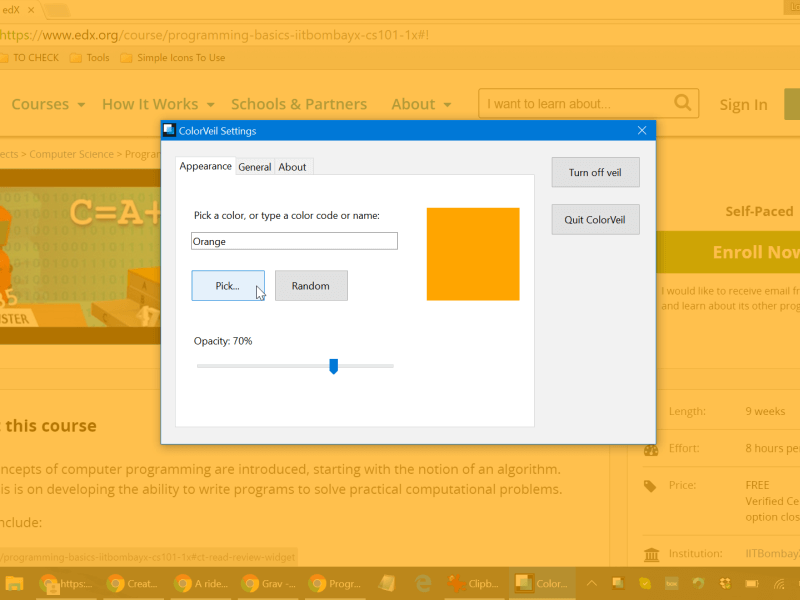
Click to enlargeDescription:ColorVeil adds a customizable color filter over your screen, Internet browser, video player, document, email, or any application you are using. You just continue to work, play, read, write, or browse as usual. ColorVeil helps with eye strain, Dyslexia, Scotopic Sensitivity Syndrome, or Visual Stress. You can easily turn the filter on and off, and customize the filter color and opacity. Try any color or tint to see which one works best for you (for example, choose Orange that is known to block out the blue light responsible for sleep deprivation). ColorVeil can also reduce screen brightness even below its lowest available setting, and may help save battery on notebooks and tablets. You can run ColorVeil on any PC without installation: just download and unpack the ZIP archive. And you can also install and deploy it across your network using the MSI setup.
 |
(to see additional options, click Buy Now) Type: Freeware File size: 110 Kb Date: 12/12/2016 HomepageInstall support: Install and Uninstall OS: Win2000, WinXP, Win7 x32, Win7 x64, Windows 8, Windows 10, WinServer, WinOther, WinVista, WinVista x64 System requirements: If you are using Windows XP, you also need the Microsoft .NET Framework 2.0 or above Language: English Recent changes in this Major Update:* Added a customizable keyword shortcut to turn the color veil on and off * Added an option to automatically start ColorVeil on system startup * Added the ability to select the veil color by entering a HTML color code or name * Added 32-bit and 64-bit MSI (Windows Installer) installation packages | |
|





