O in short: py essential documents and other important files and folders to a reserve location on the same drive another drive or across the network. You set up Tasks that describe the source destinaversatile
|
 Categories Categories |
|
|
|
|
|
ExtraBackup 1.11 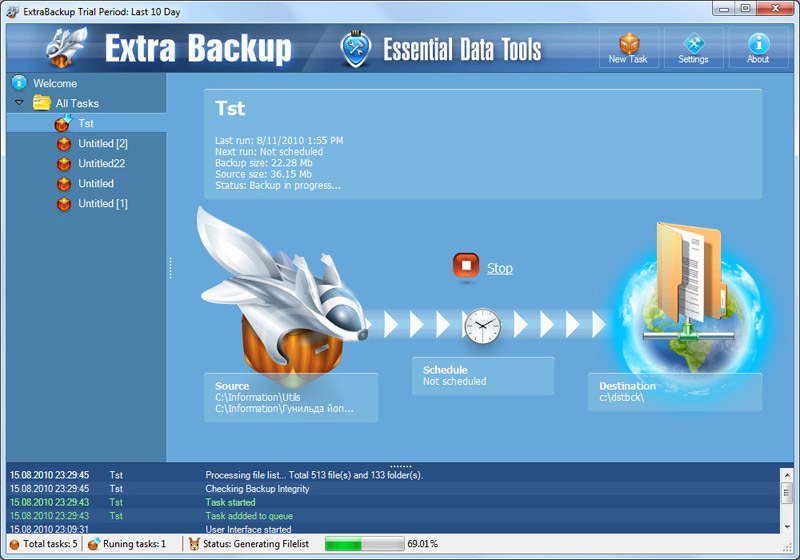
Click to enlargeDescription:ExtraBackup copies files and folders from one location to another on the same drive, another drive, or across the network. You can set up Tasks that describe the source location, the destination location, and the frequency at which you want to copy the files. ExtraBackup monitors the source files for changes or additions and then automatically copies the new or changed files to their designated destinations. The program features ZIP compression to reduce storage space as well as optional, password-protected AES data encryption. You can also include or exclude a specific file or set of files from the copy and keep any number of old versions of files. Once you configure the Tasks in terms of files and locations and set up a schedule in Microsoft(r) Task Scheduler, the program will be launched by the system as planned and copy files in the background so you will always have an up-to-date backup when you need it.
 | Price $ 29.95 / 22.95

Purchase ExtraBackup
Get it Now(to see additional options, click Buy Now) Type: Shareware File size: 5157 Kb Date: 10/28/2013 HomepageInstall support: Install and Uninstall OS: WinXP, WinVista, WinVista x64, Win7 x32, Win7 x64, Win2000, Windows2000, Windows2003, Windows Vista Ultimate, Windows Vista Ultimate x64, Windows Media Center Edition 2005, Windows Vista Starter, Windows Vista Home Basic, Windows Vista Home Premium, Windows Vista Business, Windows Vista Enterprise, Windows Vista Home Basic x64, Windows Vista Home Premium x64, Windows Vista Business x64, Windows Vista Enterprise x64 System requirements: Windows .NET 2.0 Language: English Recent changes in this New Release:Version 1.11: Minor corrections and bug fixes | See also in:
| Utilities and Hardware: Utilities and Hardware:Backup | |  | Any Outlook Backup is a backup and restore tool for the Microsoft Outlook. It allows you to save Personal Folders, Contacts, Personal Address Book, Mail folders, Mail accounts, Message rules, signatures, stationery, tasks, notes, calendar, Templates. |
|
|
|





